mirror of
https://github.com/viliusle/miniPaint.git
synced 2026-02-06 11:21:47 +00:00

61 lines
2.8 KiB
Markdown
61 lines
2.8 KiB
Markdown
# miniPaint
|
|
|
|
Online image editor lets you create and edit images using HTML5 technologies. No need to buy, download, install, or have outdated flash. No ads. Key features: layers, filters, open source Photoshop alternative.
|
|
|
|
miniPaint operates directly in the browser. You can create images by pasting from the clipboard (ctrl+v) or uploading from the computer (_using menu or drag & drop_). Nothing will be sent to any server. Everything stays in your browser.
|
|
|
|
## URL:
|
|
**https://viliusle.github.io/miniPaint/**
|
|
|
|
## Preview:
|
|
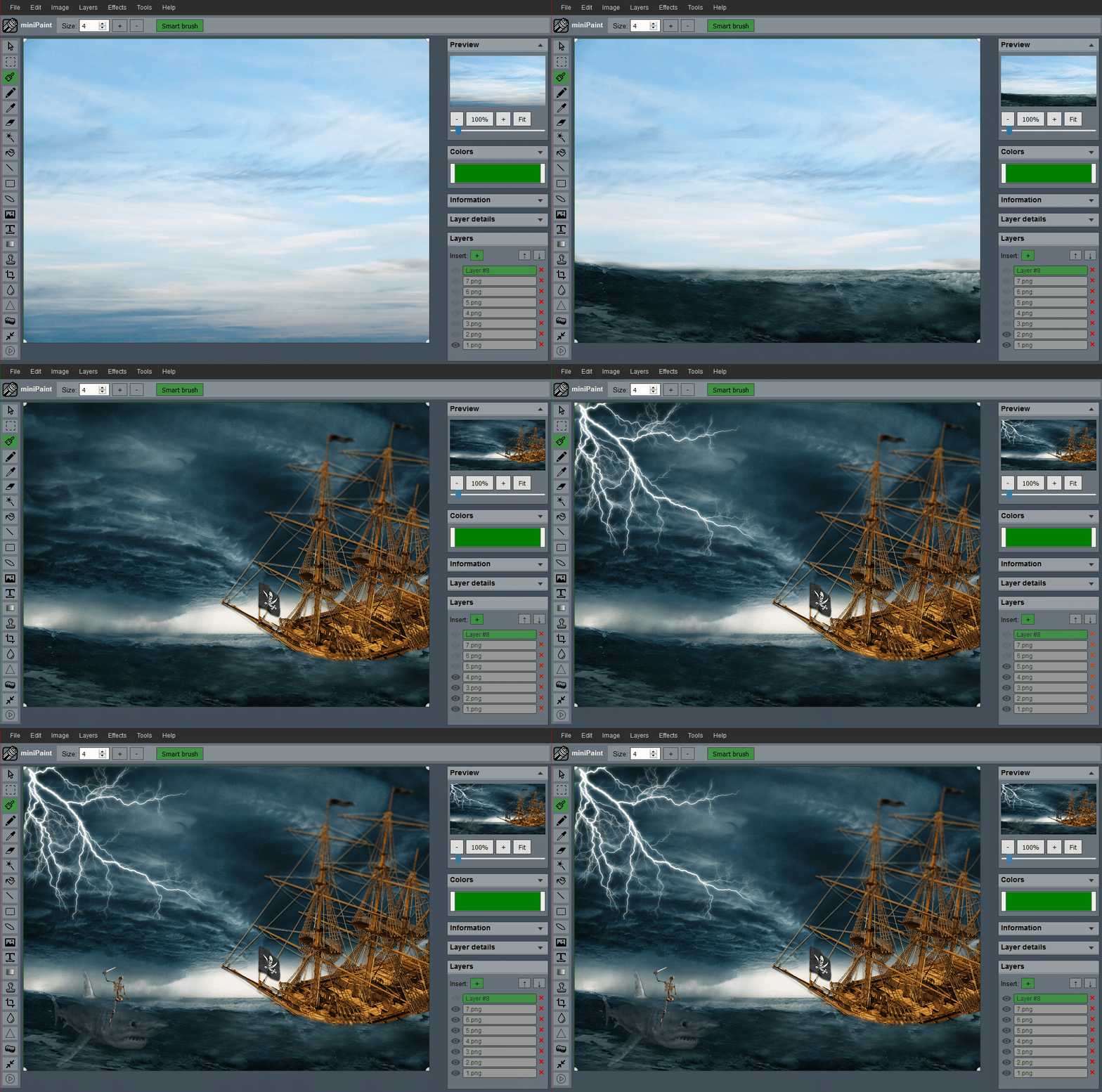
|
|
(generated using miniPaint)
|
|
|
|
**Change log:** [/miniPaint/releases](https://github.com/viliusle/miniPaint/releases)
|
|
|
|
## Browser Support
|
|
- Chrome
|
|
- Firefox
|
|
- Opera
|
|
- Edge
|
|
- Safari
|
|
- Yandex
|
|
|
|
## Features
|
|
|
|
**Files**: open images, directories, URLs, data URLs, drag and drop, save (PNG, JPG, BMP, WEBP, animated GIF, TIFF, JSON (layers data), print.
|
|
|
|
**Edit**: undo, cut, copy, paste, selection, paste from the clipboard.
|
|
|
|
**Image**: information, EXIF, trim, zoom, resize (Hermite resample, default resize), rotate, flip, color corrections (brightness, contrast, hue, saturation, luminance), automatic color adjustment, grid, histogram, negative.
|
|
|
|
**Layers**: multi-layer system, differences, merging, flattening, transparency support.
|
|
|
|
**Effects**: black and white, blur (box, gaussian, stack, zoom), bulge/pinch, denoise, desaturation, dither, dot screen, edge, emboss, enrich, gamma, grains, grayscale, heatmap, jpg compression, mosaic, oil, sepia, sharpen, solarize, tilt shift, vignette, vibrance, vintage, blueprint, night vision, pencil, also instagram filters: 1977, aden, clarendon, gingham, inkwell, lo-fi, toaster, valencia, x-pro ii.
|
|
|
|
**Tools**: pencil, brush, magic wand, eraser, fill, color picker, letter, crop, blur, sharpener, desaturation, clone, borders, sprites, keypoints, color zoom, change color, restore transparency, content fill.
|
|
|
|
**Help**: keyboard shortcuts, translation.
|
|
|
|
## Embed
|
|
To embed this app on another page, use the following HTML code:
|
|
|
|
<iframe style="box-sizing:border-box; width:100%; height:100vh;" id="miniPaint" src="https://viliusle.github.io/miniPaint/" allow="accelerometer; autoplay; clipboard-write; encrypted-media; gyroscope; picture-in-picture; web-share" allowfullscreen></iframe>
|
|
|
|
## Build instructions
|
|
See [Wiki > Build instructions](https://github.com/viliusle/miniPaint/wiki/Build-instructions)
|
|
|
|
## Wiki
|
|
See [Wiki](https://github.com/viliusle/miniPaint/wiki)
|
|
|
|
## Contributors
|
|
<a align="center" href="https://github.com/viliusle/miniPaint/graphs/contributors">
|
|
<img src="https://contrib.rocks/image?repo=viliusle/miniPaint" />
|
|
</a>
|
|
|
|
## License
|
|
MIT License
|
|
|
|
## Support
|
|
Please use the GitHub issues for support, feature requests and bug reports, or contact us by sending an email to www.viliusl@gmail.com.
|