- JavaScript 92.7%
- CSS 5.2%
- PHP 1.7%
- HTML 0.4%
| dist | ||
| examples | ||
| images | ||
| src | ||
| tools/translator | ||
| .babelrc | ||
| .gitignore | ||
| index.html | ||
| manifest-disabled.json | ||
| MIT-LICENSE.txt | ||
| package-lock.json | ||
| package.json | ||
| README.md | ||
| SECURITY.md | ||
| service-worker.js | ||
| webpack.config.js | ||

miniPaint
Online image editor lets you create and edit images using HTML5 technologies. No need to buy, download, install, or have outdated flash. No ads. Key features: layers, filters, open source Photoshop alternative.
miniPaint operates directly in the browser. You can create images by pasting from the clipboard (ctrl+v) or uploading from the computer (using menu or drag & drop). Nothing will be sent to any server. Everything stays in your browser.
URL:
https://viliusle.github.io/miniPaint/
Preview:
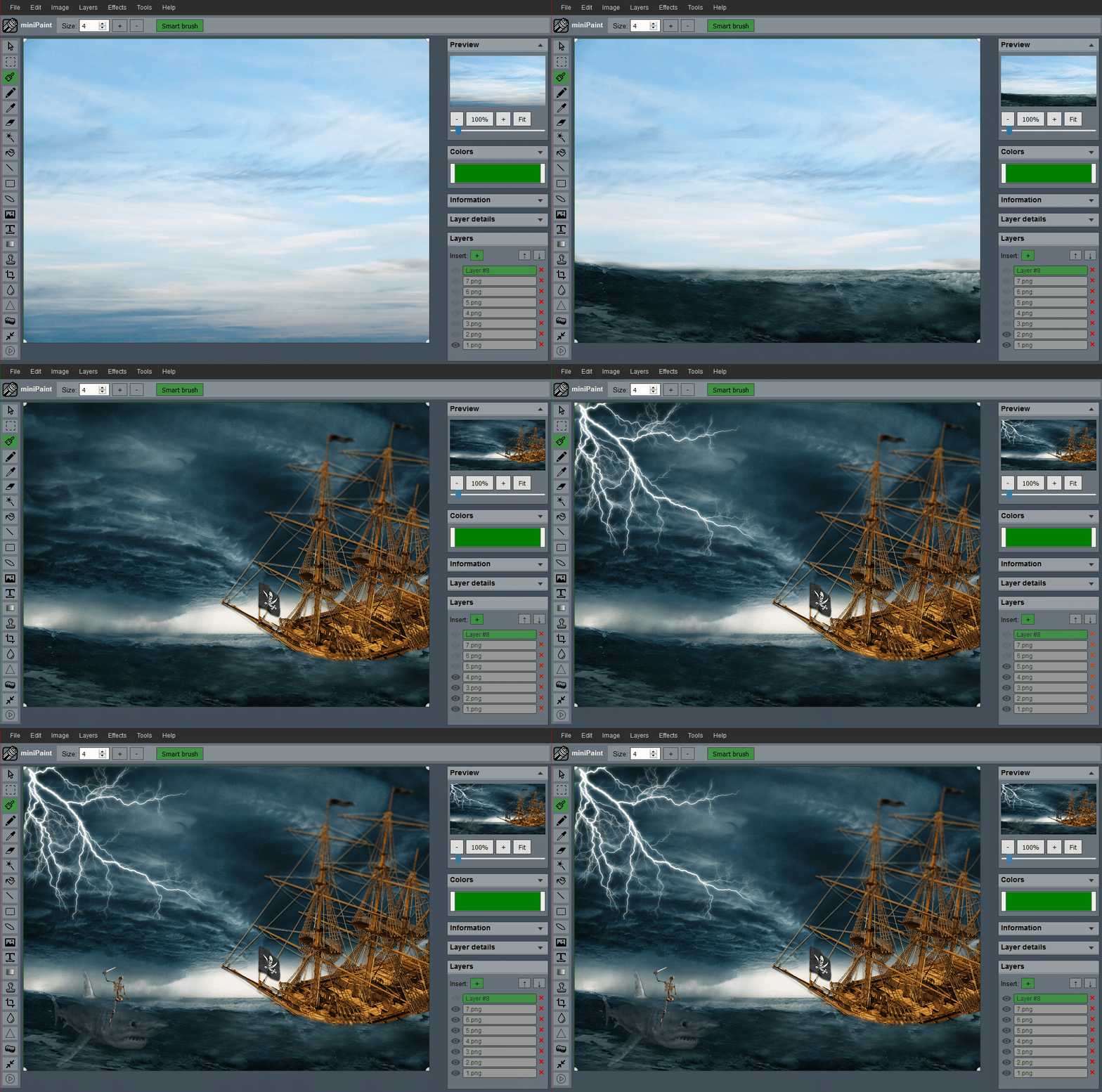 (generated using miniPaint)
Change log: /miniPaint/releases
Browser Support
- Chrome
- Firefox
- Opera
- Edge
- Safari
- Yandex
Features
Files: open images, directories, URLs, data URLs, drag and drop, save (PNG, JPG, BMP, WEBP, animated GIF, TIFF, JSON (layers data), print.
Edit: undo, cut, copy, paste, selection, paste from the clipboard.
Image: information, EXIF, trim, zoom, resize (Hermite resample, default resize), rotate, flip, color corrections (brightness, contrast, hue, saturation, luminance), automatic color adjustment, grid, histogram, negative.
Layers: multi-layer system, differences, merging, flattening, transparency support.
Effects: black and white, blur (box, gaussian, stack, zoom), bulge/pinch, denoise, desaturation, dither, dot screen, edge, emboss, enrich, gamma, grains, grayscale, heatmap, jpg compression, mosaic, oil, sepia, sharpen, solarize, tilt shift, vignette, vibrance, vintage, blueprint, night vision, pencil, also instagram filters: 1977, aden, clarendon, gingham, inkwell, lo-fi, toaster, valencia, x-pro ii.
Tools: pencil, brush, magic wand, eraser, fill, color picker, letter, crop, blur, sharpener, desaturation, clone, borders, sprites, keypoints, color zoom, change color, restore transparency, content fill.
Help: keyboard shortcuts, translation.
Embed
To embed this app on another page, use the following HTML code:
<iframe style="box-sizing:border-box; width:100%; height:100vh;" id="miniPaint" src="https://viliusle.github.io/miniPaint/" allow="accelerometer; autoplay; clipboard-write; encrypted-media; gyroscope; picture-in-picture; web-share" allowfullscreen></iframe>
Build instructions
Wiki
See Wiki
Contributors
License
MIT License
Support
Please use the GitHub issues for support, feature requests and bug reports, or contact us by sending an email to www.viliusl@gmail.com.