mirror of
https://huggingface.co/Lykon/dreamshaper-7
synced 2026-02-06 02:56:43 +00:00
| feature_extractor | ||
| safety_checker | ||
| scheduler | ||
| text_encoder | ||
| tokenizer | ||
| unet | ||
| vae | ||
| .gitattributes | ||
| image.png | ||
| model_index.json | ||
| README.md | ||


| language | license | tags | duplicated_from | |||||||||
|---|---|---|---|---|---|---|---|---|---|---|---|---|
|
creativeml-openrail-m |
|
lykon/dreamshaper-7 |
Dreamshaper 7
lykon/dreamshaper-7 is a Stable Diffusion model that has been fine-tuned on runwayml/stable-diffusion-v1-5.
Please consider supporting me:
- on Patreon
- or buy me a coffee
Diffusers
For more general information on how to run text-to-image models with 🧨 Diffusers, see the docs.
- Installation
pip install diffusers transformers accelerate
- Run
from diffusers import AutoPipelineForText2Image, DEISMultistepScheduler
import torch

pipe = AutoPipelineForText2Image.from_pretrained('lykon/dreamshaper-7', torch_dtype=torch.float16, variant="fp16")
pipe.scheduler = DEISMultistepScheduler.from_config(pipe.scheduler.config)
pipe = pipe.to("cuda")

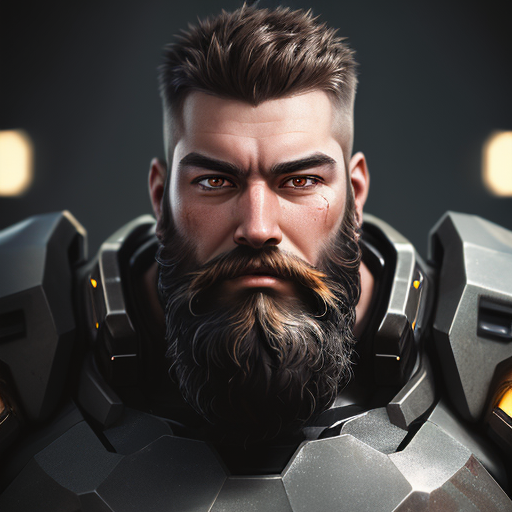
prompt = "portrait photo of muscular bearded guy in a worn mech suit, light bokeh, intricate, steel metal, elegant, sharp focus, soft lighting, vibrant colors"

generator = torch.manual_seed(33)
image = pipe(prompt, generator=generator, num_inference_steps=25).images[0]
image.save("./image.png")
Notes
- Version 8 focuses on improving what V7 started. Might be harder to do photorealism compared to realism focused models, as it might be hard to do anime compared to anime focused models, but it can do both pretty well if you're skilled enough. Check the examples!
- Version 7 improves lora support, NSFW and realism. If you're interested in "absolute" realism, try AbsoluteReality.
- Version 6 adds more lora support and more style in general. It should also be better at generating directly at 1024 height (but be careful with it). 6.x are all improvements.
- Version 5 is the best at photorealism and has noise offset.
- Version 4 is much better with anime (can do them with no LoRA) and booru tags. It might be harder to control if you're used to caption style, so you might still want to use version 3.31. V4 is also better with eyes at lower resolutions. Overall is like a "fix" of V3 and shouldn't be too much different.