| .. | ||
| assets/img | ||
| config | ||
| scripts | ||
| src | ||
| .arcconfig | ||
| .eslintignore | ||
| .eslintrc.js | ||
| .gitignore | ||
| .stylelintrc.json | ||
| babel.config.js | ||
| bundled-code-intel-extensions.json | ||
| CHANGELOG.md | ||
| cypress.json | ||
| detailed_description.txt | ||
| gulpfile.js | ||
| jest.config.js | ||
| package.json | ||
| readme-load-extension-asset.png | ||
| README.md | ||
| tsconfig.json | ||


Sourcegraph browser extension





Overview
The Sourcegraph browser extension adds tooltips to code on GitHub, Phabricator, and Bitbucket. The tooltips include features like:
- symbol type information & documentation
- go to definition & find references (currently for Go, Java, TypeScript, JavaScript, Python)
- find references
🚀 Install: Sourcegraph for Chrome
🚀 Install: Sourcegraph for Firefox
🚀 Install: Sourcegraph for Safari
It works as follows:
- when visiting e.g. https://github.com/..., the extension injects a content script (inject.bundle.js)
- there is a background script running to access certain chrome APIs, like storage (background.bundle.js)
- a "code view" contains rendered (syntax highlighted) code (in an HTML table); the extension adds event listeners to the code view which control the tooltip
- when the user mouses over a code table cell, the extension modifies the DOM node:
- text nodes are wrapped in
<span>(so hover/click events have appropriate specificity) - element nodes may be recursively split into multiple element nodes (e.g. a
<span>&Router{namedRoutes:<span>contains multiple code tokens, and event targets need more granular ranges) - We assume syntax highlighting takes care of the base case of wrapping a discrete language symbol
- tooltip data is fetched from the Sourcegraph API
- text nodes are wrapped in
- when an event occurs, we modify a central state store about what kind of tooltip to display
- code subscribes to the central store updates, and creates/adds/removes/hides an absolutely positioned element (the tooltip)
Project layout
src/browser-extension/Entrypoint for browser extension builds. (Includes bundled assets, background scripts, options)web-extension-api/A wrapper around the web extension APIs.
native-integration/Entrypoint for the native code host integrations (Phabricator, Gitlab and Bitbucket).shared/Code shared by the browser extension and the native integrations. Ideally, nothing in here should reach into any other directory.code-hosts/Contains the implementations of code-host specific features for each supported code host.shared/Code shared between multiple code hosts.
config/Configuration code that is bundled via webpack. The configuration code adds properties towindowthat make it easier to tell what environment the script is running in. This is useful because the code can be run in the content script, background, options page, or in the actual page when injected by Phabricator and each environment will have different ways to do different things.end-to-end/E2E test suite.
scripts/Build scripts.config/Build configs.build/Generated directory containing the output from webpack and the generated bundles for each browser.
Requirements
nodeyarnmake
Development
To build all the browser extensions for all browsers at once:
yarn run dev
To only build for a single browser (which makes builds faster in local development), set the env var TARGETS=chrome or TARGETS=firefox.
Now, follow the steps below for the browser you intend to work with.
Chrome
- Browse to chrome://extensions.
- If you already have the Sourcegraph extension installed, disable it using the toggle.
- Enable 'developer mode', click on Load unpacked extensions, save it in the
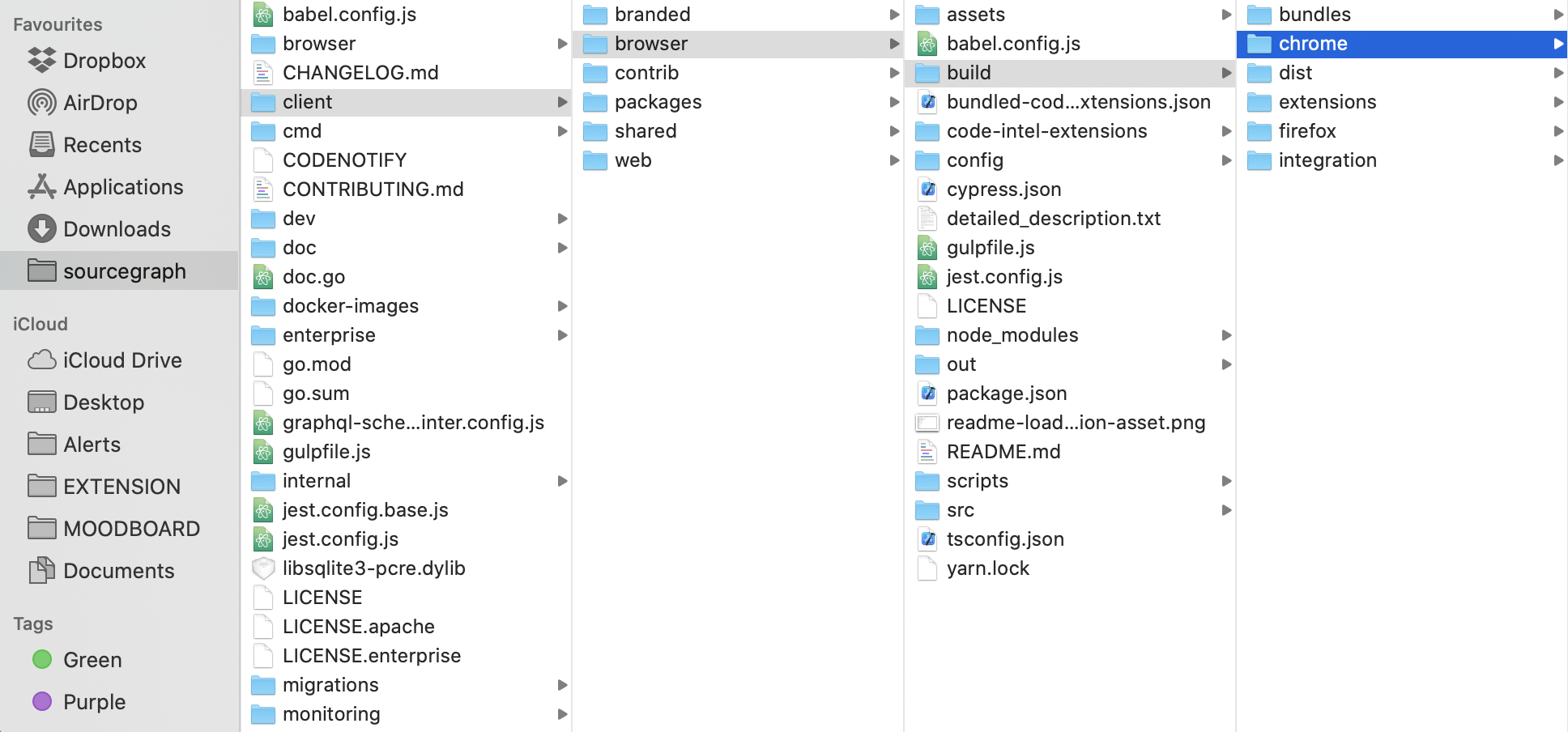
sourcegraph/client/browser/build/chromefolder. - Browse to any public repository on GitHub to confirm it is working.
- After making changes it is sometimes necessary to refresh the extension. This is done by going to chrome://extensions and clicking the "Reload" icon.
Updating the bundle
Click reload for Sourcegraph at chrome://extensions
Firefox (hot reloading)
In a separate terminal session run:
yarn global add web-ext
yarn run dev:firefox
A Firefox window will be spun up with the extension already installed.
Updating the bundle
Save a file and wait for webpack to finish rebuilding.
Caveats
The window that is spun up is completely separate from any existing sessions you have on Firefox.
You'll have to sign into everything at the beginning of each development session(each time you run yarn run dev:firefox).
You should ensure you're signed into any Sourcegraph instance you point the extension at as well as GitHub.
Firefox (manual)
- Go to
about:debugging - Select "Enable add-on debugging"
- Click "Load Temporary Add-on" and select "firefox-bundle.xpi"
- More information
Updating the bundle
Click reload for Sourcegraph at about:debugging
Safari
Note
: Requires MacOS with Xcode installed
yarn workspace @sourcegraph/browser dev:safari- Open Safari then:
Develop > Allow Unsigned Extensions - Open
client/browser/build/Sourcegraph for Safari/Sourcegraph for Safari.xcodeprojusing Xcode - Choose
Sourcegraph for Safari (macOS)in the top toolbar and click Run icon - It should build and add extension to your local Safari (Check
Preferences > Extensions tab)
Testing
- Unit tests:
sg test bext - Integration tests
- install git lfs if it's not installed
- run
- fetch snapshots with
git lfs fetch - build browser extension with
sg test bext-build - run tests with
sg test bext-integration
- fetch snapshots with
- develop
- add/edit test case or at least its part with navigation to a certain page
- if there's no page snapshot for created test or page URL referenced in the existing test has been changed, test will fail with 'Page not found' error
- to generate or update page snapshots for tests run
yarn record-integration - after pushing the updated snapshots to remote they will be stored on GitHub LFS and snapshot files will contain references to that storage
- E2E tests:
sg test bext-build&sg test bext-e2e
E2E tests
The test suite in end-to-end/github.test.ts runs on the release branch bext/release in both Chrome and Firefox against a Sourcegraph Docker instance.
The test suite in end-to-end/phabricator.test.ts tests the Phabricator native integration. It assumes an existing Sourcegraph and Phabricator instance that has the Phabricator extension installed. There are automated scripts to set up the Phabricator instance, see https://docs.sourcegraph.com/dev/phabricator_gitolite. It currently does not run in CI and is intended to be run manually for release testing.
end-to-end/bitbucket.test.ts tests the browser extension on a Bitbucket Server instance.
end-to-end/gitlab.test.ts tests the browser extension on gitlab.com (or a private Gitlab instance).
Integration tests
All test suites in integration run in CI. These tests run the browser extension against recordings of code hosts (using Polly.JS) and mock data for our GraphQL API.
To update all recordings, run yarn record-integration. To update a subset of recordings, run POLLYJS_MODE=record SOURCEGRAPH_BASE_URL=https://sourcegraph.com yarn test-integration --grep=YOUR_PATTERN, where YOUR_PATTERN is typically a test name.
Deploy
Deployment the Chrome web store happen automatically in CI when the bext/release branch is updated.
Releases are also uploaded to the GitHub releases
page and tagged in
git.
To release the latest commit on main, ensure your main branch is up-to-date and run:
git push origin main:bext/release
Manual build of the browser extension
This describes the manual build process to produce the packed extension (xpi/zip) from scratch from the source code.
Requires node version specified in .nvmrc. In the steps below we use nvm to automatically select the node version.
Tested on Ubuntu 20.04 and Mac OS 10.15.5.
Obtain the source code
A. Obtain the source code by cloning the repository
Clone the public repository with git clone:
git clone git@github.com:sourcegraph/sourcegraph
cd sourcegraph
B. Obtain the source code by downloading the zip
Alternatively (instead of cloning the repository), you can obtain the source code as a zip for a particular commit hash or a branch.
For example, to build from commit e1547ea0e9:
curl -OL https://github.com/sourcegraph/sourcegraph/archive/e1547ea0e9.zip
unzip e1547ea0e9.zip
cd sourcegraph-e1547ea0e99475dd748a4e3bb1a81cee71c0f7fd
Install dependencies and build
Use nvm to select the Node.js version specified in .nvmrc.
nvm install
Install dependencies with yarn (install it globally with npm i -g yarn if needed) and build.
yarn
yarn run build-browser-extension
The build step automatically pulls in sourcegraph/code-intel-extensions as a dependency.
The output will be in browser/build:
- Firefox add-on:
- Packed:
browser/build/bundles/firefox-bundle.xpi - Unpacked:
browser/build/firefox
- Packed:
- Chrome extension:
- Packed:
browser/build/bundles/chrome-bundle.zip - Unpacked:
browser/build/chrome
- Packed:
Create a zip of the browser extension source code
The yarn run create-source-zip command will create sourcegraph.zip, an archive of the source that can be used to do a build of the browser extension.
This will pull the source code at a given revision (by default, the bext/release branch on GitHub) and create a zip of the source code, which can then be used to reproduce the exact build. Some directories of the repo, which are not relevant to the browser extension, are excluded from the archive.
See scripts/create-source-zip.js.
Use this process to create a source code zip to attach to a Firefox add-on submission.
cd client/browser
yarn run create-source-zip